
Appearance
3. Re-texture a face and export GLB
Change the platform's center tile to cracked stone, preserve an editable backup, and export a textured GLB.
Before you start: Continue from Add and organize a wall, or open platform-wall.pvp through File → Open .pvp….
Time: about 5–10 minutes. Screenshots show the dark desktop interface; click them for full size.
1. Select the center floor face
Switch to Edit mode and click the platform's center floor tile, covering X 1–2 and Z 1–2. Confirm exactly one face is selected.
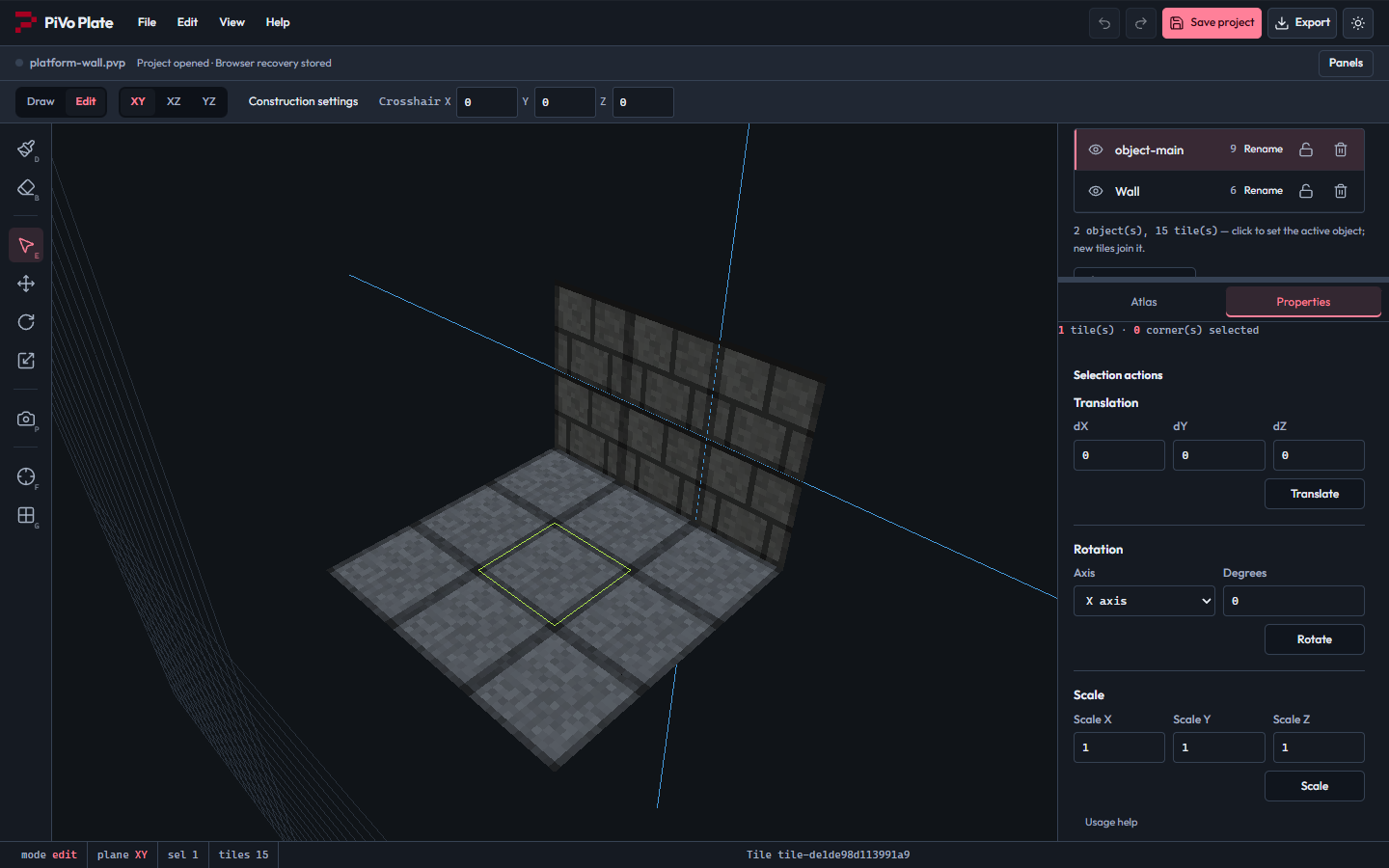
The center floor face is selected without selecting the wall.
2. Choose a replacement tile
Click the Atlas tab and select the cracked-stone cell at column 2, row 1, counting from 1.
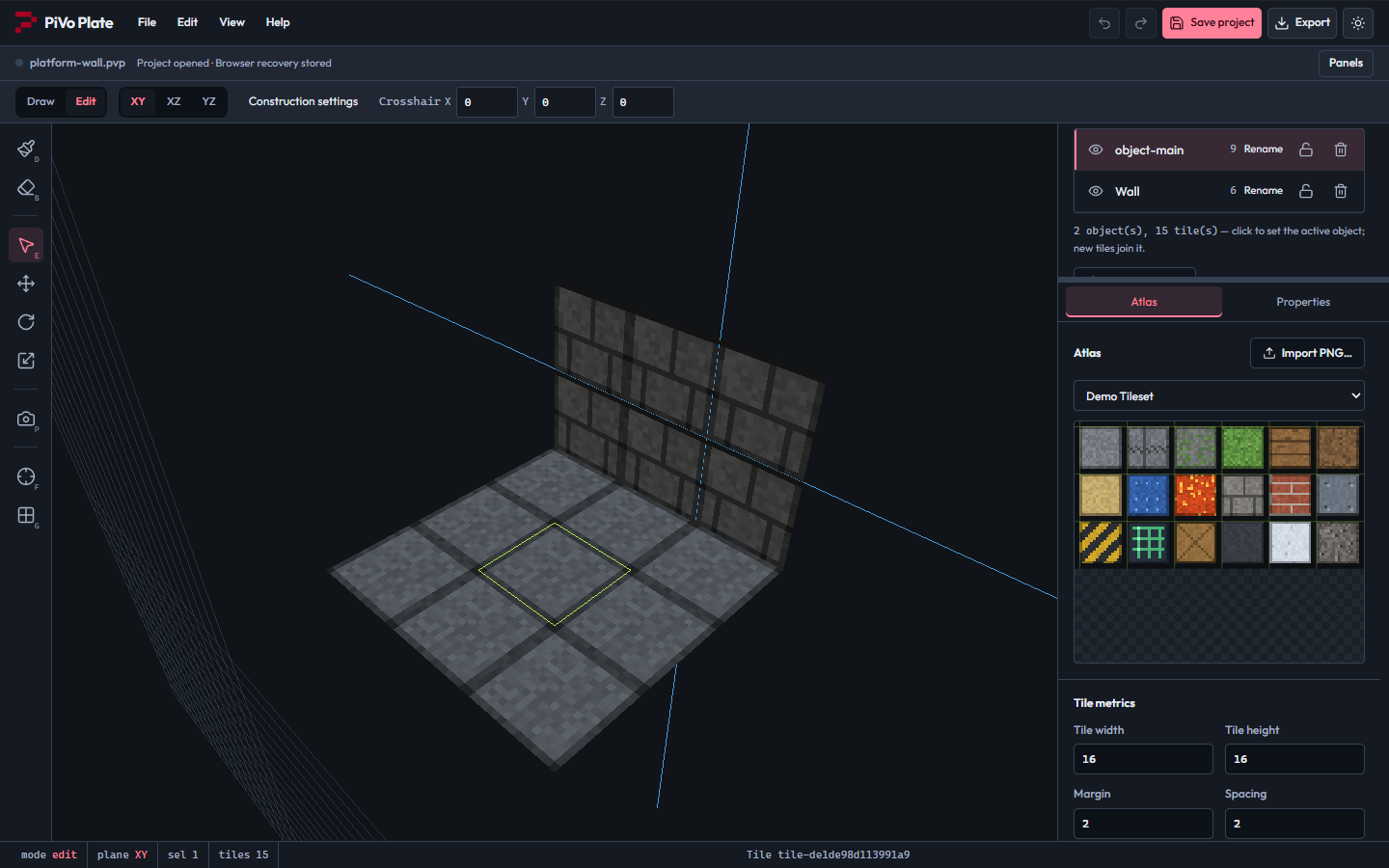
The cracked-stone cell is selected as the replacement brush.
3. Apply the brush to the existing face
Scroll the Atlas panel to Apply Brush and click it. The selected face changes texture; this does not create another tile.
4. Check the result
Look at the center tile. It should show cracked stone, while the other eight floor tiles and all six wall tiles remain in place. If you chose the wrong face or cell, use Undo.
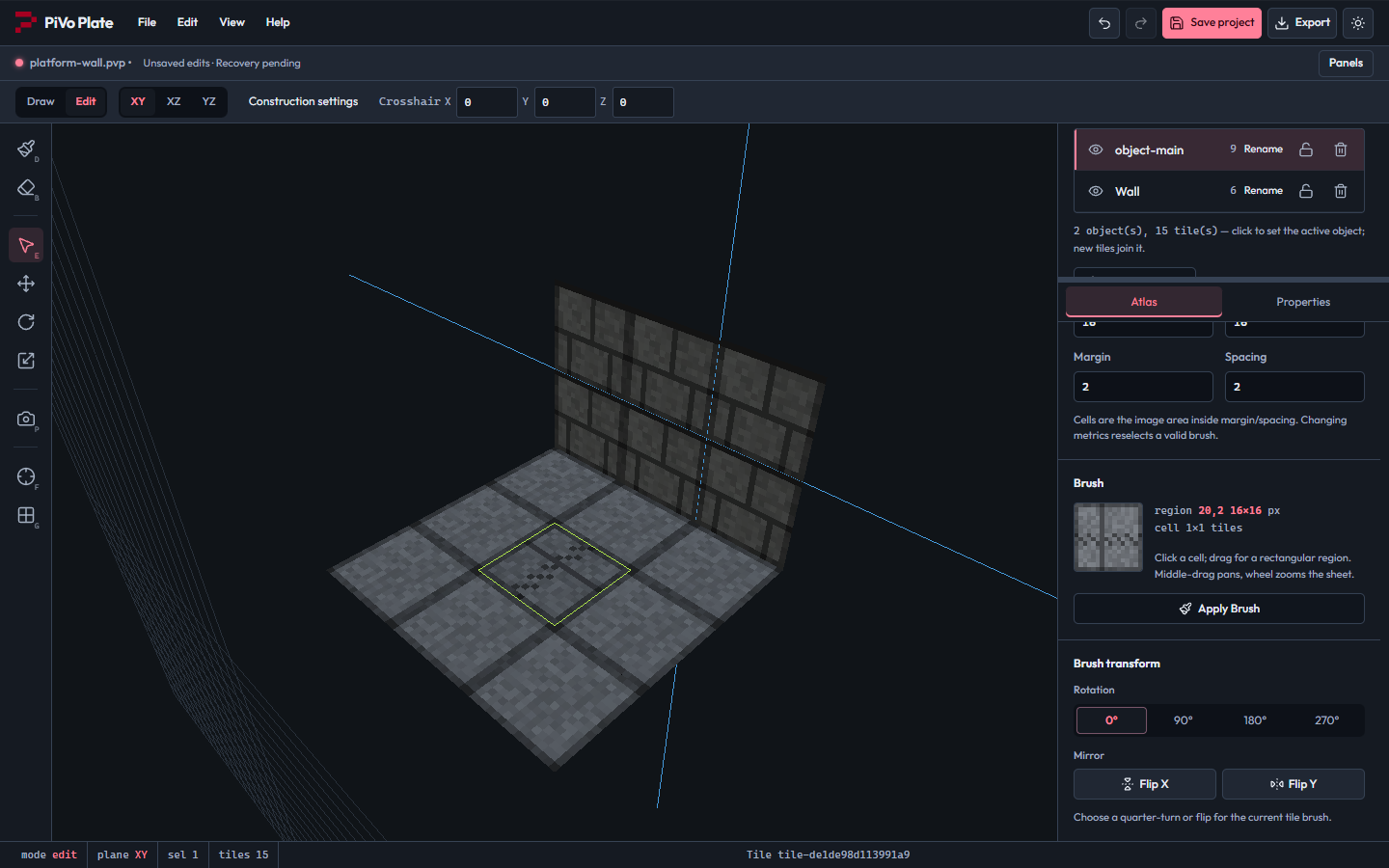
Apply Brush changes the center tile's texture while preserving the 15-tile scene.
5. Save your editable copy
Click Save project and keep the download as finished-platform.pvp. Use the native project for future edits.
6. Reopen the backup
Choose File → Open .pvp… and open your saved file. Check the cracked center tile and the Wall scene object are still present.
7. Configure the model export
Click the header's Export button, or choose File → Export…. Select GLB — binary glTF in Format.
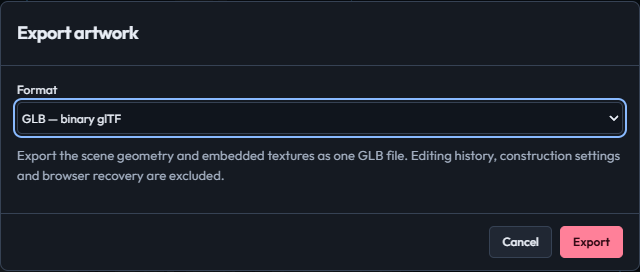
The export dialog is configured for a GLB with embedded textures.
8. Download the GLB
Click Export in the dialog. Keep the downloaded .glb for importing into another 3D tool. It contains geometry and textures; editing history and construction settings remain in the .pvp project.
Finished result
An editable finished-platform project and a textured GLB with a cracked center tile.
Download the finished project.
If something looks different
Apply Brush needs an editable face selection. Picking an atlas cell alone does not change existing faces. GLB export flattens organizational hierarchy, so keep .pvp if you need to retain scene objects.