Appearance
3. Save and export your artwork
Keep an editable project, verify it reopens, and export a still PNG and an animated GIF.
Before you start: Continue from Make the face blink, or open blinking-face.pvc through File → Open project….
Time: about 5–10 minutes. Screenshots show the dark desktop interface; click them for full size.
1. Save an editable backup
Stop playback and click Save project. Keep a local copy named finished-face.pvc. A .pvc project preserves layers, frames, and editing data.
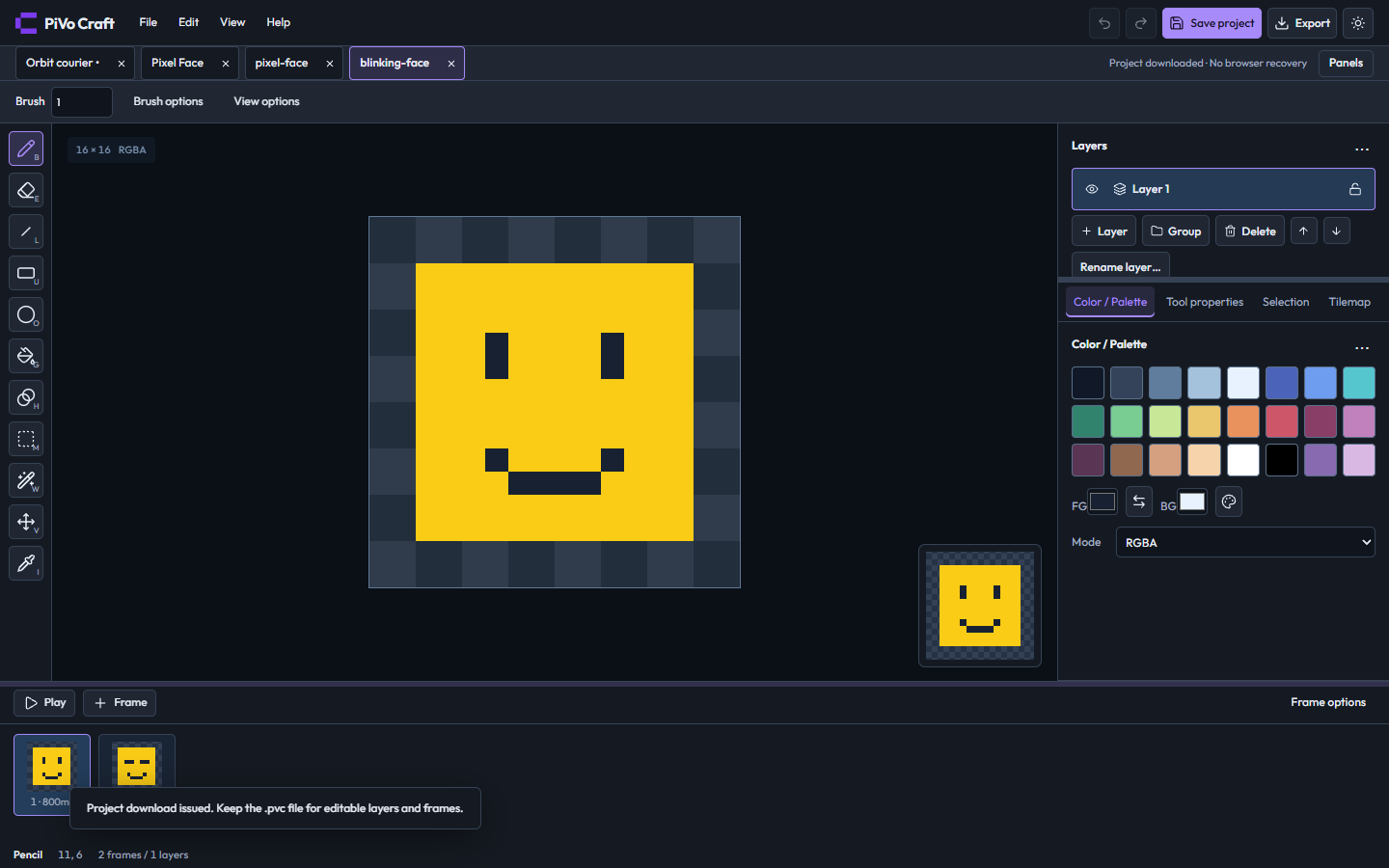
Save project downloads the editable animation.
2. Reopen the saved project
Choose File → Open project… and select your saved .pvc. Craft opens it in a document tab. Confirm there are two frame thumbnails.
3. Choose the still frame
Click frame 1. Its eyes should be open, and Frame options should show 800 ms.
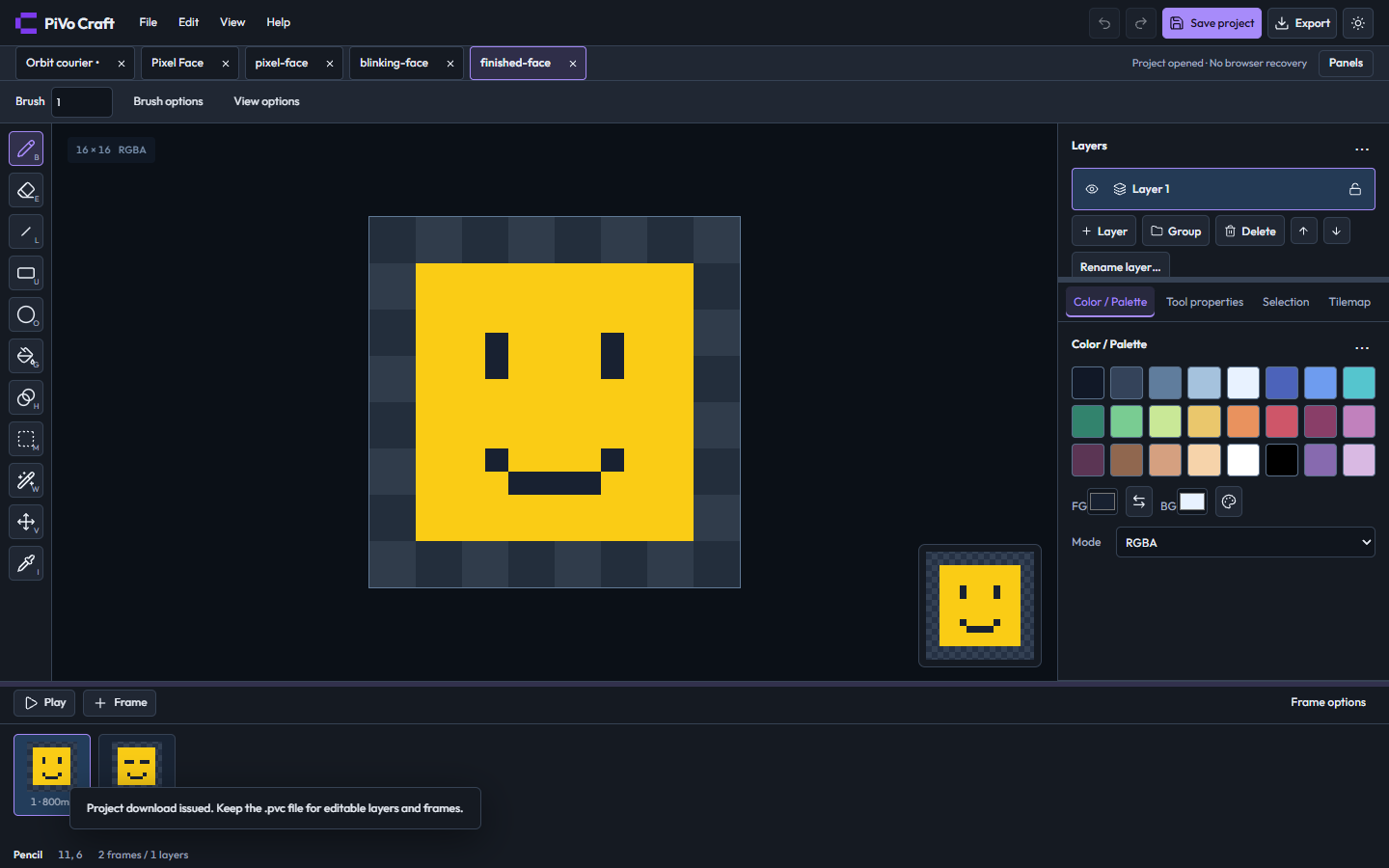
The reopened project still has two frames; frame 1 is selected for the still PNG.
4. Configure the PNG
Click Export and choose PNG — current frame in Format. This exports only the selected frame.
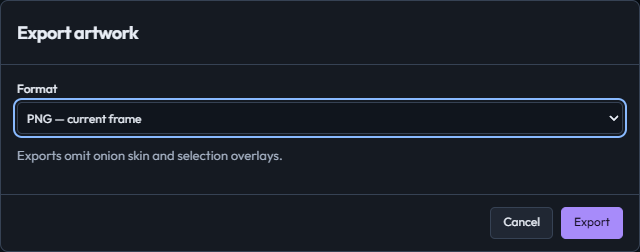
The export dialog is set to PNG — current frame.
5. Download the PNG
Click Export in the dialog. Open the downloaded .png in an image viewer to see the still face. Tiny pixel art looks best at an integer zoom.
6. Configure the GIF
Open Export again and select Animated GIF — quantized. Leave tag/range restriction disabled to include both frames.
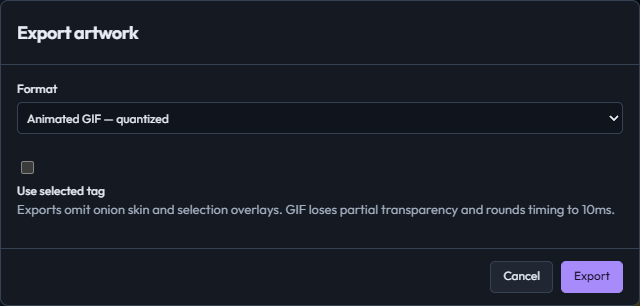
Animated GIF is selected to export both poses.
7. Download and view the GIF
Click the dialog's Export button. Read any conversion notice and continue if its color, alpha, or timing changes are acceptable. Open the .gif in a browser or an image viewer that supports animation.
8. Keep the right files
Keep .pvc for future editing, .png for a still image, and .gif for playback. Browser recovery is useful, but a downloaded project is your portable backup.
Finished result
An editable .pvc backup, an open-eye PNG, and a blinking GIF.
Download the finished project.


If something looks different
PNG uses the current frame, so select the open-eye frame first. GIF supports a smaller color/alpha range than RGBA artwork; the export notice explains any conversions.